Clip Finder for Edits: How to Locate the Best Moments in Long Video
Learn how to use a clip finder for edits to locate standalone moments in long recordings, streamline your workflow, and avoid common context traps.
Updated By ClipFlap editorial team
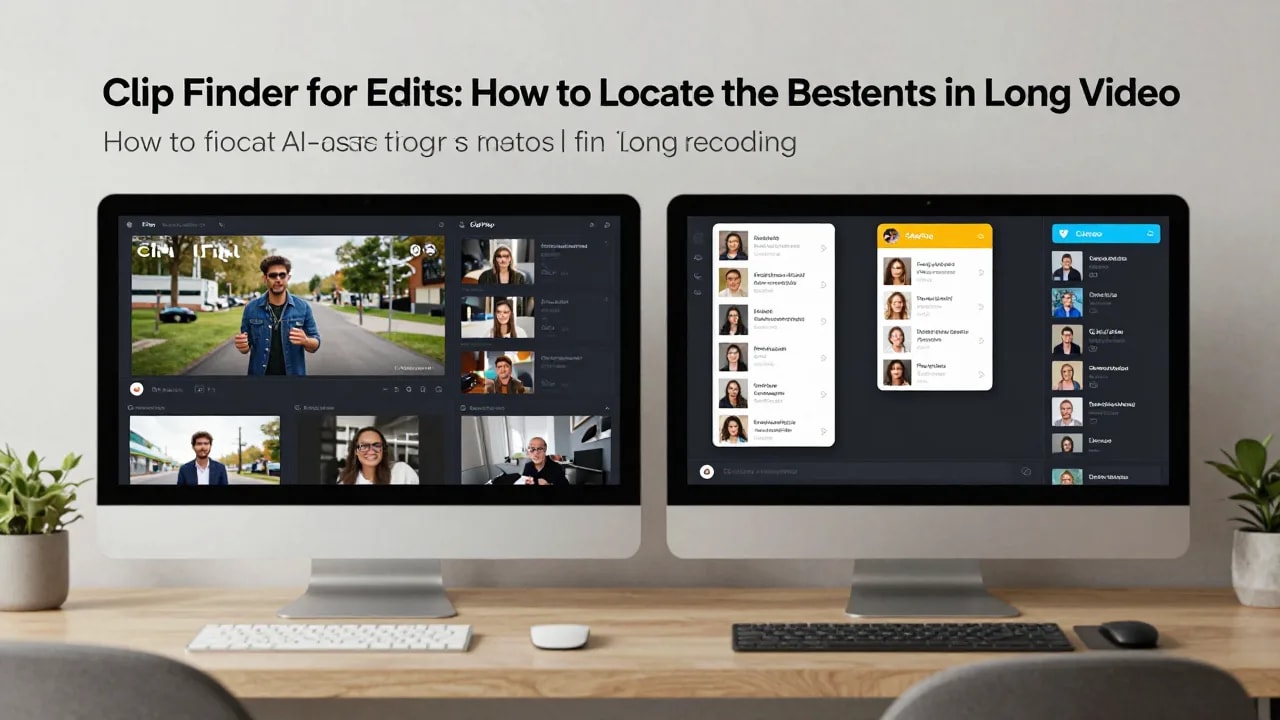
Sifting through a two-hour podcast interview or recorded webinar to extract 60-second social cuts is often the most time-consuming bottleneck in post-production. Editors frequently burn hours scrubbing back and forth across timelines, trying to remember where a guest dropped a sharp insight or delivered an unexpected punchline. Relying on a structured clip finder for edits transforms this chore from passive re-watching into a rapid, targeted scanning operation.
Whether you work manually with speech transcripts or leverage automated tools to surface high-energy moments, knowing what constitutes an extractable clip is essential. Here is a technical, editor-tested framework for pinpointing high-value moments inside long-form video and audio recordings without sacrificing narrative integrity.
Anatomy of a Standalone Clip: What to Identify Before You Cut
Not every brilliant comment in a long interview works as an isolated clip. In long recordings, conversations build momentum across dozens of minutes. In short-form video, you do not have that luxury; the segment must justify its existence within three seconds and make sense without prior context.
A viable standalone clip contains three core structural elements:
1. A Distinct Opening Hook
The opening phrase must arrest the viewer's attention immediately. Look for statements that establish high stakes, counter-intuitive opinions, or direct questions. Avoid segments starting with conversational filler such as "Yeah, exactly, and another thing..." because they signal to the audience that they have joined a conversation mid-stream.
2. A Compact Narrative Core
The body of the clip must present a single coherent idea, anecdote, or tactical explanation. If the speaker wanders into multiple tangential sub-points, the audience loses the thread. You want a clear line of thought from premise to conclusion.
3. A Decisive Payoff or Conclusion
Every strong clip ends on an inflection point: a punchline, a memorable aphorism, or a sharp warning. If the speaker's thought trails off into a murmur or prompts the host to redirect the discussion entirely, the clip lacks a satisfying resolution.
Manual Scrubbing vs. Transcript-Based Clip Discovery
Historically, video editors relied on two manual techniques to find clips for edits: continuous timeline playback (often at 1.5x or 2x speed) and visual waveform scrubbing.
Waveform scrubbing involves scanning the timeline for audio spikes that indicate laughter, interruptions, or passionate speech. While this works well for conversational podcasts, it routinely misses quieter, intellectually dense insights. It also provides no visibility into whether a loud audio spike was actually meaningful or simply someone coughing close to a microphone.
Transcript-based highlight selection offers a faster, more dependable alternative. When audio is transcribed into searchable, interactive text, you can read at 300 to 400 words per minute—far faster than 2x audio playback. Scanning text allows you to assess the semantic structure of a paragraph instantly, identifying complete conceptual blocks before you ever touch a razor tool in your editing software. If you want to dive deeper into practical discovery workflows, read our guide to finding the best moments in a podcast.
How an Assistive Clip Finder Speeds Up Long-Form Edits
An automated clip finder for video acts as a first-pass triage assistant. Rather than forcing you to process raw footage from minute zero, assistive software parses the audio stream and transcript to present a curated list of candidate moments.
These systems generally evaluate several underlying signals:
- Topic Cohesion: Analyzing sentence boundaries to find complete thoughts that start and resolve cleanly.
- Semantic Weight: Detecting high-information density phrases, contrarian hooks, or explicit lesson framing (such as "The biggest mistake I ever made was...").
- Audio Inflection: Identifying shifts in cadence, vocal pitch, and speaker transitions that denote emphasis.
Using an automated clip finder does not mean delegating creative choices entirely to an algorithm. Instead, it shifts your role from mechanical footage scanner to critical curator. An assistive tool highlights ten to fifteen potential segments; you then evaluate which moments align with your editorial standards, brand voice, and audience expectations. For an expanded overview of repackaging long-form recordings, explore how to turn long videos into short clips.
Common Traps: Context Loss and Weak Narrative Boundaries
Automating or rushing the extraction process introduces predictable pitfalls. When hunting for the best moments in long video footage, watch out for these recurring editorial errors:
The Pronoun Trap
A segment might contain a stunning quote, but if the speaker begins with "And that is why he fired them," the audience has no idea who "he" or "them" refers to. Unless you can cleanly adjust the in-point to include the explicit noun, the clip will alienate casual viewers.
Incomplete Conditions
Speakers frequently lay down a critical caveat thirty seconds prior to a dramatic statement. Extracting only the dramatic statement creates misleading or technically inaccurate content. As an editor, you bear the responsibility of verifying that the isolated snippet honestly reflects the speaker's actual argument.
Clamped Breathing and Truncated Word Tails
Overly aggressive automatic cutting algorithms sometimes set cut points too close to phonetic boundaries. If the in-point slices off an intake of breath or the out-point snips the tail end of a concluding word, the edit sounds jarring. Always add a 50–150 millisecond buffer around dialogue transitions to allow natural room tone to breathe.
Step-by-Step Workflow: Extracting, Reframing, and Reviewing Clips
To build a dependable production pipeline, adopt a standardized four-phase extraction workflow:
Phase 1: Ingestion and Transcript Parsing
Load your high-resolution recording into your workspace. Run a speech-to-text pass to generate time-aligned text. If your system identifies pauses and audio spikes, cross-reference those flags with thematic clusters in the text.
Phase 2: In/Out Boundary Refinement
Locate candidate passages. Read the dialogue aloud to verify the beginning hook and the final payoff. Adjust your in-point to capture the complete sentence without trailing filler, and set your out-point immediately following the concluding thought.
Phase 3: Vertical Reframing and Caption Alignment
Convert the selected horizontal footage to a 9:16 vertical canvas. Apply facial detection or dynamic reframing to keep the active speaker centered in the frame. Generate word-timed subtitles and adjust line breaks so text never covers the speaker's mouth or vital on-screen elements.
Phase 4: Manual Editorial Review Checklist
Before marking the clip ready for final export, run through this quick quality control check:
- Clarity: Does the core point make sense within the first five seconds without background explanation?
- Cadence: Are speech cuts smooth, natural, and free of clipped syllables?
- Reframing: Does the camera remain centered when the speaker shifts position in their chair?
- Accuracy: Do the generated subtitles correctly capture technical jargon, proper nouns, and guest names?
- Nuance: Does the isolated segment preserve the speaker's true intent without uncharitable distortion?
Evaluation Criteria: Choosing the Right Clip Finder for Your Pipeline
When evaluating a video highlight finder to support your editing workflow, focus on tools that prioritize editorial control over black-box automation. Look for these functional criteria:
- Transcript-Driven Interface: You should be able to select text directly to modify clip start and end points rather than guessing on an unlinked timeline.
- Reframing Precision: The tool should offer smart vertical reframing that tracks active speakers smoothly without disorienting, jittery pans.
- Export Flexibility: High-quality exports with customizable subtitle styling, accurate word-level timing, and standard resolution presets.
- Human-in-the-Loop Architecture: Avoid software that claims to "replace editors completely." The best tools accelerate extraction while leaving pacing, nuance, and final sign-off firmly in your hands.
Frequently Asked Questions
What makes a moment inside a long recording suitable for a short-form clip?
A suitable clip features a strong opening statement (hook), a single self-contained idea or story, and a decisive conclusion or punchline. It must be completely understandable to someone who has never heard of the speakers or watched the rest of the recording.
Can an automated clip finder fully replace a video editor?
No. Automated tools are assistive mechanisms designed to handle transcription, detect candidate soundbites, and perform initial reframing. They cannot judge subtle comedic timing, emotional subtext, or contextual accuracy. A skilled editor must always review and polish the cut before publication.
Why is transcript-based clipping faster than timeline scrubbing?
Reading text allows you to review speech at more than double the speed of normal audio playback. It lets you visually identify narrative structures, complete sentences, and thematic topics instantly, eliminating the need to guess what is happening based on audio waveforms alone.
How do you prevent a selected clip from sounding out of context?
Ensure the clip contains all necessary nouns rather than ambiguous pronouns ("he", "it", "they"). Avoid cutting out qualifying statements or caveats that alter the speaker's intended meaning, and maintain the natural conversational tone by giving word tails and breaths room to resolve.
If you want to accelerate your clip discovery workflow while keeping total control over the final cut, try ClipFlap's AI clip generator to turn your long-form videos into reframed, captioned clips in minutes.
Related reading
- How to Start Clipping Long Videos for Social Media: A Beginner Workflow
Learn how to start clipping long videos for social media. Follow this step-by-step beginner workflow covering hook detection, 9:16 reframing, and captions.
- YouTube to Clips: A Reusable Workflow for Long Videos
Master a repeatable YouTube to clips workflow. Repurpose long-form video into vertical clips using transcript selection, reframing, and editorial review.
- How to Get Clips from YouTube Videos: A Complete Repurposing Guide
Learn how to get clips from YouTube videos using native tools, video editors, and assistive AI workflows to reframe and caption vertical highlights.
Turn a long video into clips with ClipFlap →
Try it on your own episode
10 free minutes of processing, no card required. Processing time varies with source length and queue load; review each clip before publishing.