AI Cutting Explained: Methods, Mechanics, and Editorial Checkpoints
Understand how AI cutting processes long-form footage, where automated edits fall short, and the editorial review checklist needed before publishing.
Updated By ClipFlap editorial team

Long-form video production has traditionally required hours of manual timeline scrubbing to isolate impactful moments from podcasts, interviews, and keynote presentations. The emergence of ai cutting has fundamentally reshaped this initial assembly phase by automating the detection of dialogue boundaries, scene changes, and spoken highlights. Rather than replacing human editorial intuition, modern automated video cutting serves as an assistive first pass, turning hours of unedited footage into a workable rough cut in minutes.
However, relying entirely on algorithmic segmentation introduces subtle editorial risks. When an automated system misinterprets speaker cadence, cuts conversational context short, or miscalculates frame boundaries, the resulting asset feels disjointed. Achieving broadcast-grade quality requires understanding the computational mechanics governing these tools and establishing a rigorous editorial checkpoint before any clip goes live.
How AI Cutting Works: The Mechanics Behind Automated Video Segmentation
At its foundation, algorithmic video segmentation relies on three interconnected computational layers: acoustic analysis, natural language processing, and computer vision. Rather than treating a video file as a monolithic media stream, modern software deconstructs footage into parallel tracks of audio data, transcript tokens, and visual coordinates.
The first layer operates through silence detection and acoustic feature extraction. By analyzing amplitude levels against a calculated noise floor, the system identifies pauses between speech bursts. Decibel thresholds determine where an utterance starts and stops, flagging potential cut points across the timeline.
The second layer introduces natural language processing paired with speaker diarization. Automatic speech recognition converts spoken phonemes into timestamped text. Concurrently, diarization models distinguish between different voices in a room by analyzing vocal frequency and harmonic characteristics. This allows the system to recognize conversational boundaries—such as question-and-answer exchanges—and avoid cutting mid-dialogue.
Finally, semantic analysis models evaluate transcript density, identifying self-contained narrative arcs. Instead of relying solely on silence, the system estimates whether a passage contains an introductory premise, supporting detail, and resolution. When these criteria align, the software executes a rough cut assembly, compiling the selected segments into an initial preview.
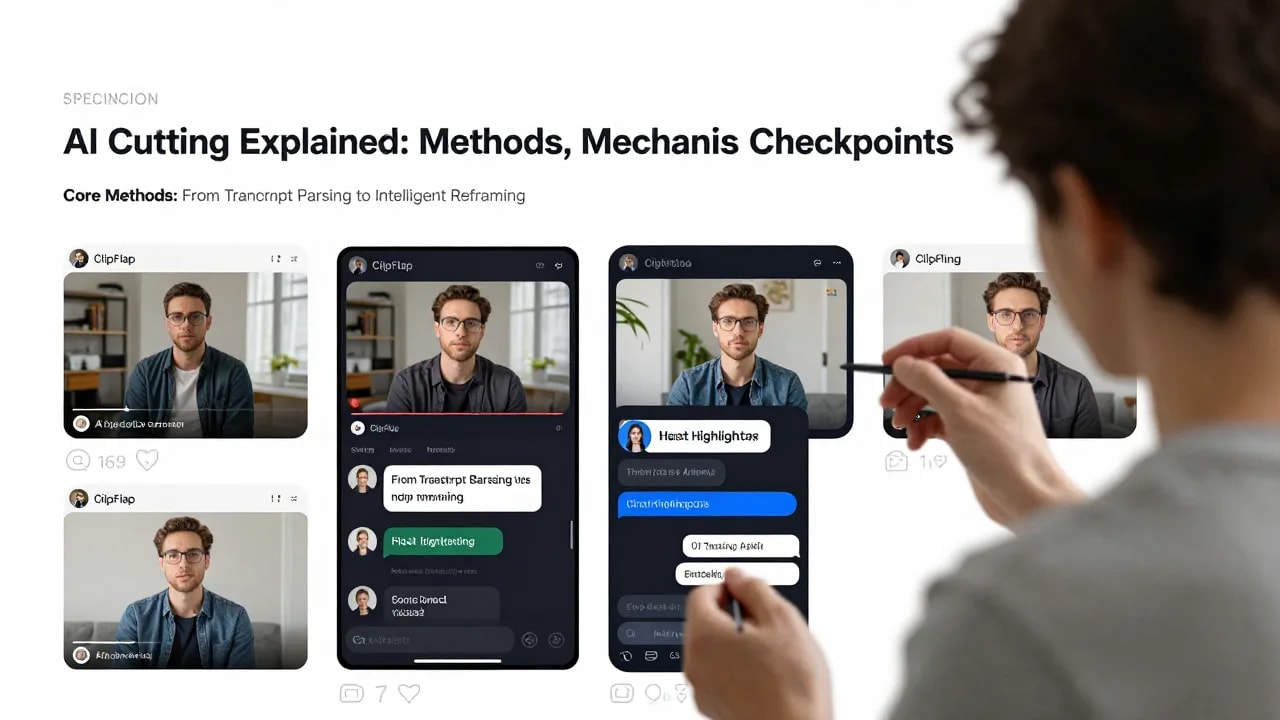
Core Methods: From Transcript Parsing to Intelligent Reframing
Transforming a multi-camera interview or keynote recording into short-form content involves distinct technical methods. Understanding how an ai video cutter executes these steps helps creators anticipate where manual adjustments will be necessary.
Transcript-Based Highlight Selection
Transcript based video editing shifts the editing interface from traditional waveform scrubbing to text manipulation. Algorithms analyze the text stream to isolate thematic clusters and quotable statements. Instead of manually setting in-and-out points across a two-hour timeline, editors work from an interactive transcript where deleting a sentence removes the corresponding video frames. The software flags high-interest passages based on structural linguistic cues, serving as an efficient discovery engine for prospective clips.
Automatic Reframing and Aspect Ratio Conversion
Repurposing landscape (16:9) master footage for vertical platforms (9:16) requires intelligent aspect ratio conversion. Rather than applying a static center crop that cuts off active speakers, computer vision models track facial landmarks and body positioning. Optical flow tracking monitors head orientation and movement across the canvas, repositioning the frame dynamically. When dialogue alternates between two speakers, intelligent reframing either pans smoothly between subjects or switches cuts along speaker diarization cues.
Word-Timed Captions
Viewer engagement on mobile platforms depends heavily on accurate subtitles. Algorithmic clipping engines generate word-timed captions by anchoring individual transcript tokens to millisecond-accurate audio waveforms. This granular synchronization ensures captions highlight dynamically as words are spoken, eliminating the drifting latency common in manual subtitle burning.
The Inherent Pitfalls of Algorithmic Cutting: Context, Cadence, and Pacing
While automated video cutting accelerates preliminary trimming, algorithmic decision-making lacks human conversational intuition. Editors who publish automated cuts without auditing often encounter recurring technical flaws.
Audio Clipping and Inadequate Audio Padding
The most frequent auditory artifact in ai clip cutting is aggressive silence removal. Spoken language does not begin with vocal cord vibration; it begins with an intake of breath or subtle preparatory mouth sounds. When silence detection algorithms apply zero-millisecond cut boundaries, they frequently truncate initial plosives (like 'p' and 'b') or final consonant trails. Without sufficient audio padding before and after spoken segments, dialogue sounds rushed, unnatural, and clipped.
Contextual Stripping and Incomplete Thoughts
Semantic models often isolate punchy assertions while discarding the context that justifies them. A speaker might state a provocative conclusion that was preceded by sixty seconds of nuance or followed by a crucial caveat. When an algorithm extracts the statement in isolation, it risks misrepresenting the speaker or confusing viewers who lack the necessary backstory.
Pacing Jars and Jump Cut Smoothing
In human-edited video, cuts follow natural rhythmic cadences. When automated systems splice multiple sentences together to condense run time, they can generate jarring micro-jumps. Without intelligent jump cut smoothing or subtle visual reframing between splices, the transitions feel mechanical rather than conversational.
The 5-Point Editorial Checkpoint: What to Audit Before You Export
To bridge the gap between rapid automated rough cuts and publication-ready assets, every creator should implement a human-in-the-loop review. Run every generated clip through this five-point audit before final export:
- Audit Pre-Roll and Post-Roll Audio Padding: Inspect the head and tail of every cut. Ensure there is a 150 to 250-millisecond buffer of ambient room tone before the first syllable and after the last word. This preserves natural inhalation, prevents clipped consonants, and eliminates abrupt audio cutoffs.
- Verify Narrative Context and Argument Completeness: Confirm that the extracted soundbite contains a clear setup, core idea, and conclusion. If the speaker references an earlier concept with ambiguous pronouns, manually extend the in-point to include the clarifying context.
- Examine Framing Stability and Face Centering: Review vertical crops across dynamic movements. Verify that the reframing algorithm has not cut off the speaker's mouth during expressive gestures or panned erratically when multiple subjects spoke simultaneously.
- Proofread Word-Timed Captions for Phonetic Errors: Automated transcription regularly misinterprets specialized industry terminology, company names, and homophones. Verify capitalization, punctuation, and timing accuracy across all subtitle overlays.
- Test Pacing Cadence and Hook Delivery: Listen to the opening three seconds with eyes closed, then watch with sound muted. The clip must immediately establish interest without feeling rushed or visually disorienting.
Workflow Comparison: Manual Timeline Trimming vs. Assistive Clip Generation
Integrating ai rough cut tools does not eliminate the editor; it shifts their focus from mechanical timeline scrubbing to high-level editorial judgment. The table below illustrates how responsibilities divide across the production pipeline:
| Production Phase | Traditional Manual Editing | Assistive AI-Assisted Cutting |
|---|---|---|
| Footage Discovery | Scrubbing raw footage in real-time or 2x speed | Automated transcript-based highlight selection |
| Rough Cut Assembly | Manual blade tool trimming of pauses and takes | Algorithmic silence detection and segmentation |
| Vertical Reformatting | Manual keyframing of position coordinates | Computer vision automatic reframing |
| Subtitle Alignment | Manual transcription and timecode syncing | Automated word-timed captions generation |
| Context & Quality Control | Inherent in manual assembly | Dedicated human-in-the-loop editorial audit |
By offloading repetitive tasks like aspect ratio conversion and initial silence trimming to assistive software, editors can dedicate their creative energy to pacing refinement, storytelling nuance, and narrative flow.
Building a Repeatable Human-in-the-Loop Pipeline for Long-Form Video
Establishing a dependable content repurposing engine requires structuring your production steps sequentially. Rather than treating automation as an autonomous finish line, integrate it into a disciplined editing pipeline.
Step 1: Ingestion and Acoustic Calibration
Upload your long-form footage into your editing environment. Ensure audio levels are normalized so silence detection algorithms can accurately distinguish vocal signals from background noise. For creators establishing an end-to-end framework, reviewing our comprehensive AI clipping guide provides additional insight into structuring raw video files for optimal machine parsing.
Step 2: Algorithmic Ingestion and Highlight Generation
Allow the system to run speaker diarization, transcription, and candidate clip generation. Review the system-generated selections as prospective options rather than finished products.
Step 3: Timeline Refinement and Padding Adjustment
Open selected segments within the clip review interface. Adjust boundary markers to restore natural conversational breathing room, smooth out jump cuts, and verify speaker tracking.
Step 4: Caption Quality Control
Correct phonetic transcription inaccuracies and adjust subtitle styling to ensure readability on small mobile screens.
Step 5: Final Quality Check and Export
Perform a complete playback review using the 5-point checkpoint checklist before publishing across your distribution channels.
Frequently Asked Questions
What is AI cutting in modern video production?
AI cutting refers to assistive video editing technology that uses acoustic silence detection, speech recognition, and natural language processing to identify speaker turns, trim pauses, and generate rough cut segments from long-form recordings.
Can an AI cutting tool replace a professional video editor?
No. Automated tools function as assistive first-pass accelerators. They excel at mechanical tasks like transcribing speech, detecting silences, and reformatting aspect ratios, but they lack human editorial judgment, emotional sensitivity, and contextual storytelling awareness.
Why do automatic cuts sometimes sound unnatural or clipped?
Automatic cuts sound unnatural when silence detection thresholds are configured too aggressively, eliminating the natural pre-attack inhalation or cutting trailing consonants without sufficient audio padding.
What are the most critical checkpoints before publishing an AI-cut clip?
The most critical checkpoints include verifying audio padding around dialogue boundaries, confirming that the isolated excerpt preserves conversational context, checking that vertical reframing tracks speakers accurately, and proofreading word-timed captions for phonetic errors.
Balancing rapid turnaround times with professional production standards requires treating algorithmic cutting as an assistant rather than an autonomous editor. When automated rough cut generation is paired with a deliberate human-in-the-loop review, you preserve the natural cadence and authenticity that build audience trust. To accelerate your initial rough cut assembly while retaining complete editorial control over reframing and captions, test ClipFlap's AI clip generator on your next long-form video.
Related reading
- Auto Clipping Software: What to Automate and What to Review
Learn how auto clipping software speeds up vertical video repurposing, which editing tasks to automate, and what to review manually.
- How an Auto Clipper Works: From Raw Footage to Review-Ready Shorts
Learn how an auto clipper ingests long video, selects highlights, reframes to 9:16, and generates captions, plus essential human review steps.
- Clipping Apps Evaluation Guide: How to Choose the Best Repurposing Tools
Compare modern clipping apps for repurposing long-form video into social clips. Learn key features: transcript navigation, reframing, and captions.
Try the ClipFlap AI clip maker →
Try it on your own episode
10 free minutes of processing, no card required. Processing time varies with source length and queue load; review each clip before publishing.